

Link your creator profile to an agency
Use the agency code from your manager to connect your existing creator profile to their agency.
If you work with an agency, your manager can give you an agency code. Entering that code connects your existing CreatorsJet creator profile to the agency.
Before you start
- Ask your agency manager for their agency code.
- Sign in to the creator account you want to link.
Link your account
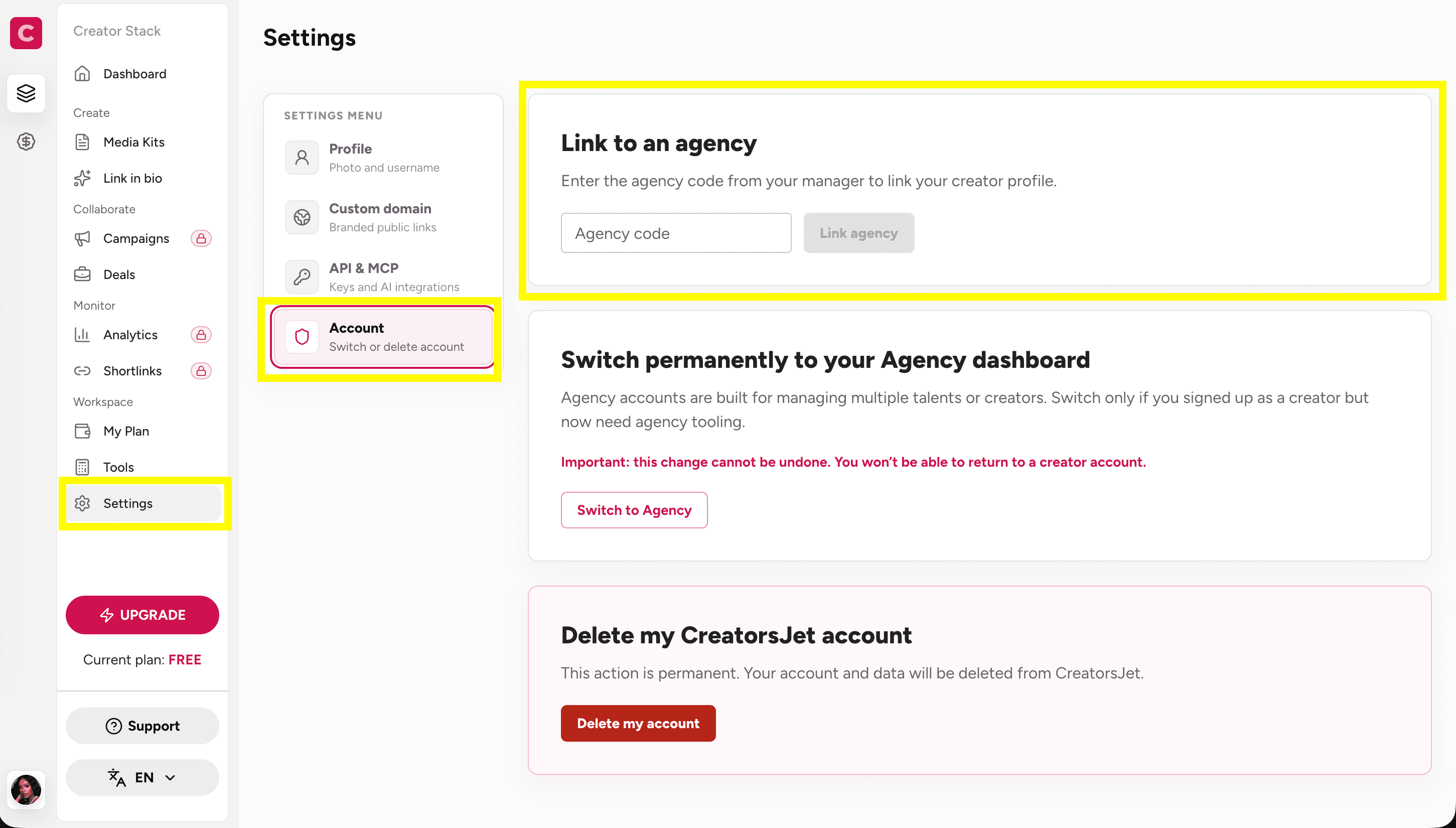
- In the left sidebar, select Settings.
- From the Settings menu, select Account.
- Under Link to an agency, enter the agency code your manager gave you.
- Select Link agency.
Important
Linking to an agency keeps you on your creator account and connects that profile to the agency.
Do not select Switch to Agency for this purpose. That option permanently changes your creator account into an agency account and cannot be undone.
If the code does not work
Check that you copied the code exactly, then ask your agency manager to confirm that it is current. If you still cannot link your account, contact CreatorsJet Support with the agency name and the email address on your creator account.